An AI crew that runs your series channel.
What we're building:
- Designed once, consistent forever: characters and backgrounds are designed first and saved, so every episode matches.
- Your tools, one crew: it works with the AI tools you already use.
- Runs on a schedule: episodes get made and posted automatically.
- Built for series: comment votes steer the next episode. (Planned)
Early prototype, shown with demo data. Click to watch with sound. Click the video or press Enter to pause or resume. Use the fullscreen button to expand the demo.
Made for series, not one-off clips
Interactive series need the same characters, world and on-screen template every episode, and they listen to the comments. That's what the crew is built around.
-
Planned
Escalation series
Same character, a little worse every day. One template from Day 1 to Day 30.
-
Planned
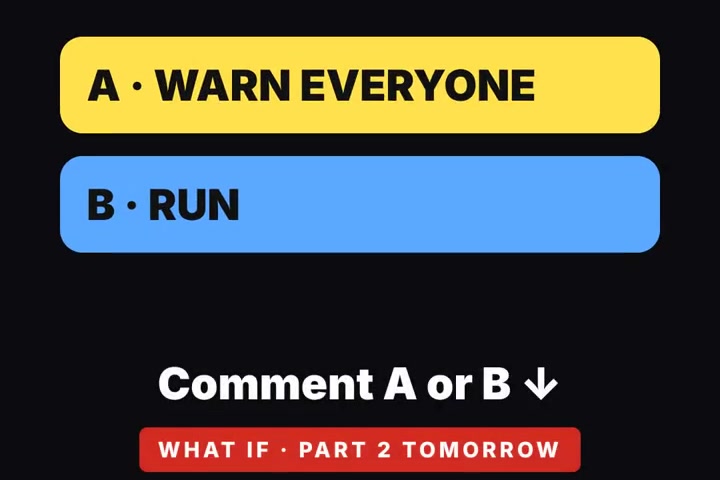
Comment-picks-next
Viewers vote in the comments, and the next episode follows the winner.
-
Planned AI example · not app output
Choose-your-path horror
Cliffhanger endings where the audience picks what happens next.
-
Planned
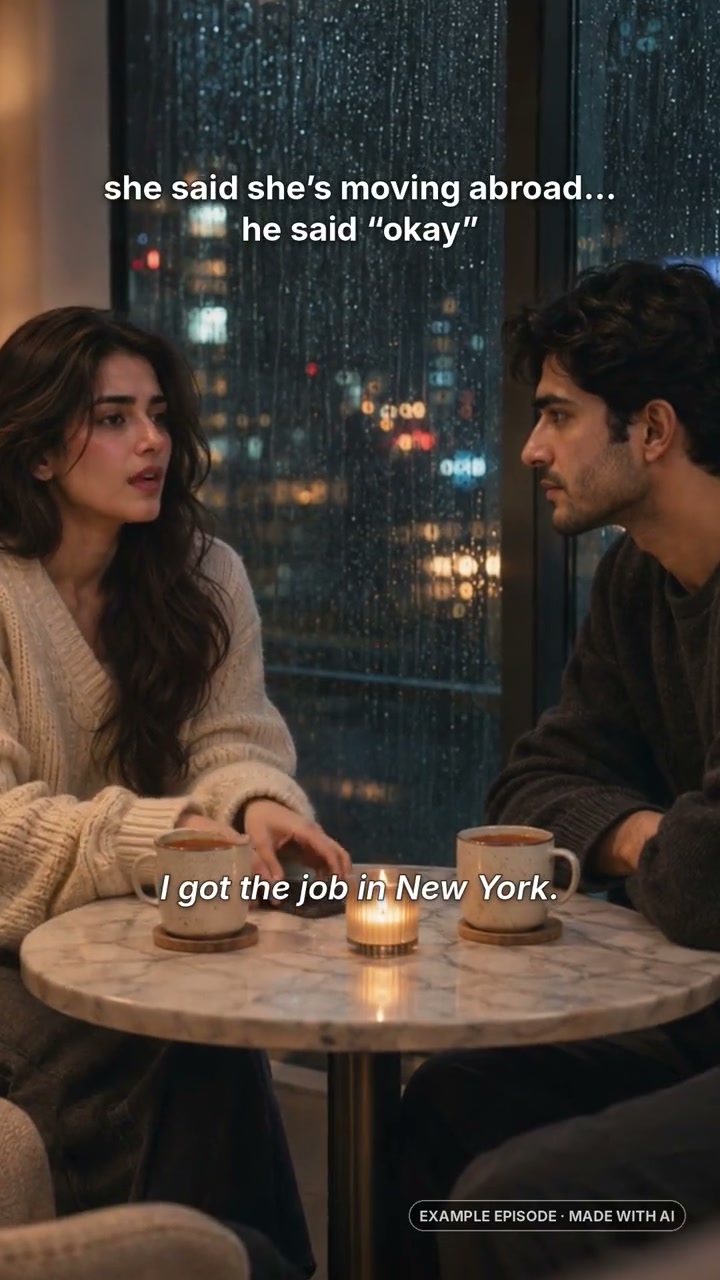 Shot 1
 Shot 2
Recurring-cast story arcs
The same cast and an ongoing plot, episode after episode.
-
Planned AI example · not app output
Movie mode
Cinematic, realistic episodes made with video models like those in Higgsfield.
How an episode gets made
- Analyst reads the comments
- Script Writer continues the story
- Visual Designer reuses the same cast
- Video Studio makes the episode
- Publisher posts it with 'Comment what happens next'
Visuals use the AI-made example episodes above; the escalation overlay is a concept mockup. The two cast shots come from one example, not separate episodes.
Planned features. Format presets, comment voting and series memory are not built yet.
How it works
The planned workflow: one channel, one small city, and the same creative direction across every episode.
-
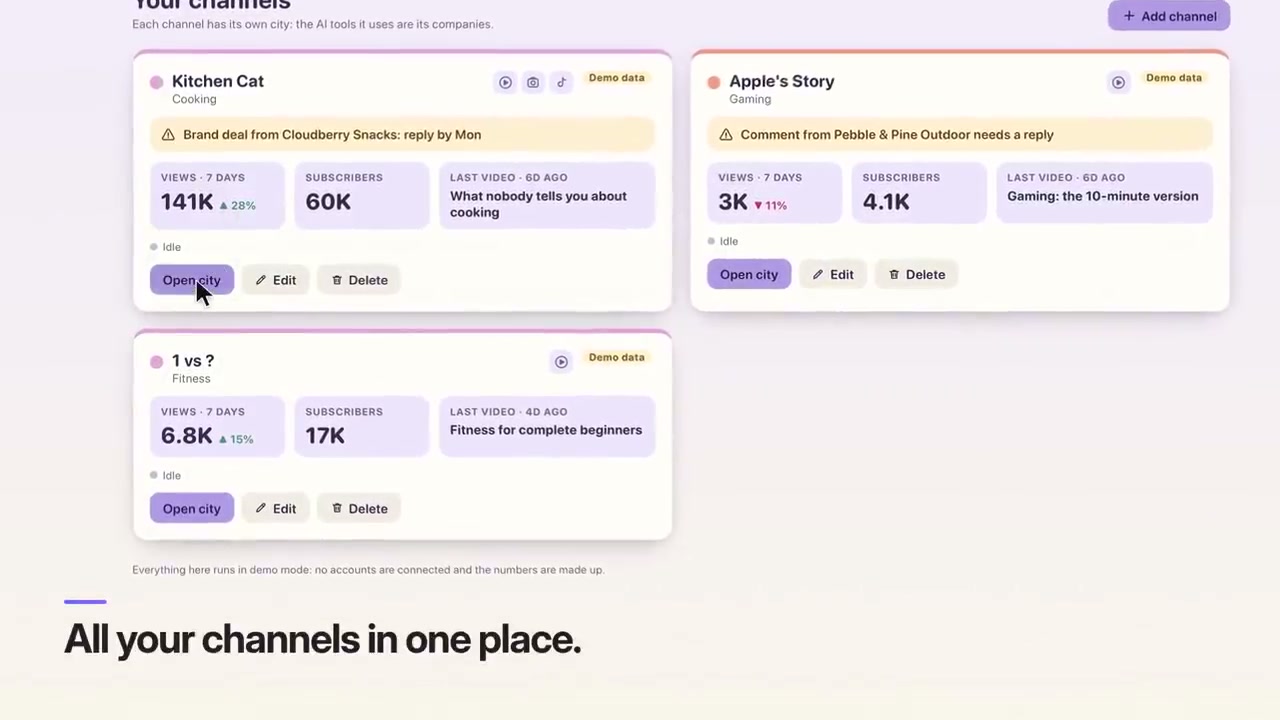 View screen ↗
1
Set up a channel
Name it, pick a theme, and tell us which software you use for each step.
-
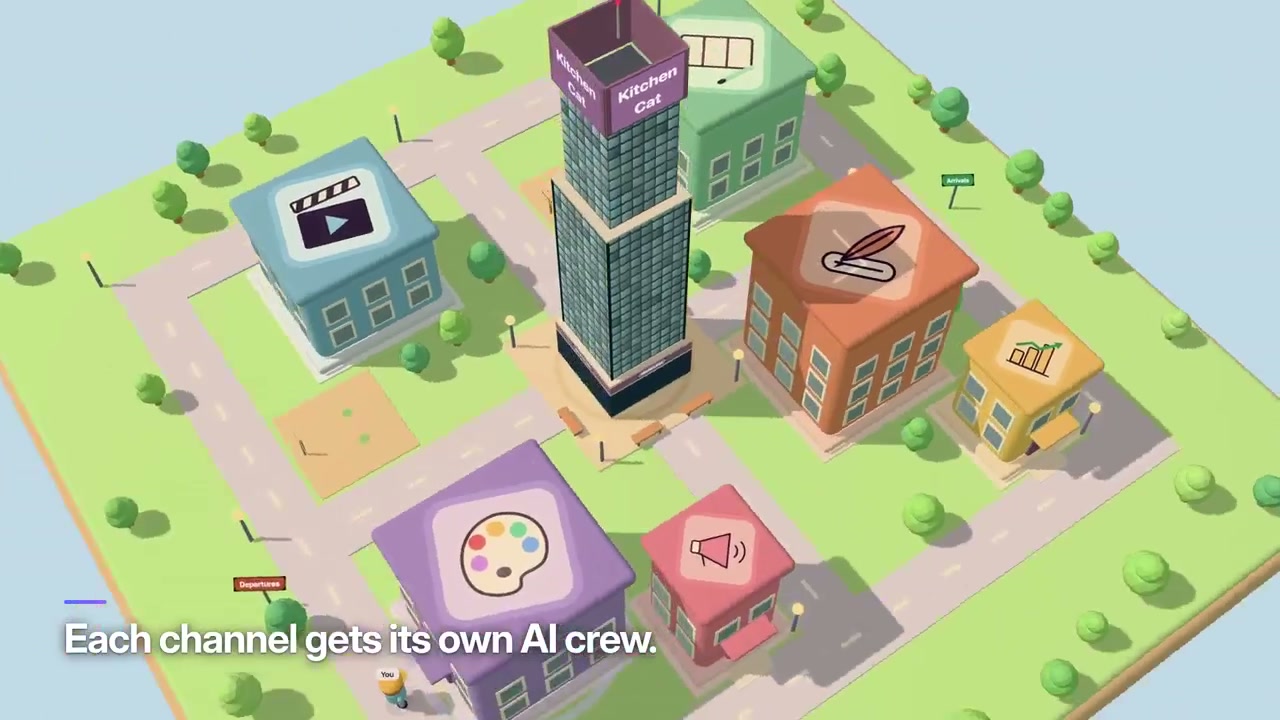 View screen ↗
2
Meet your crew
Each role in the city handles one part of making a video, using the tool you chose for it.
-
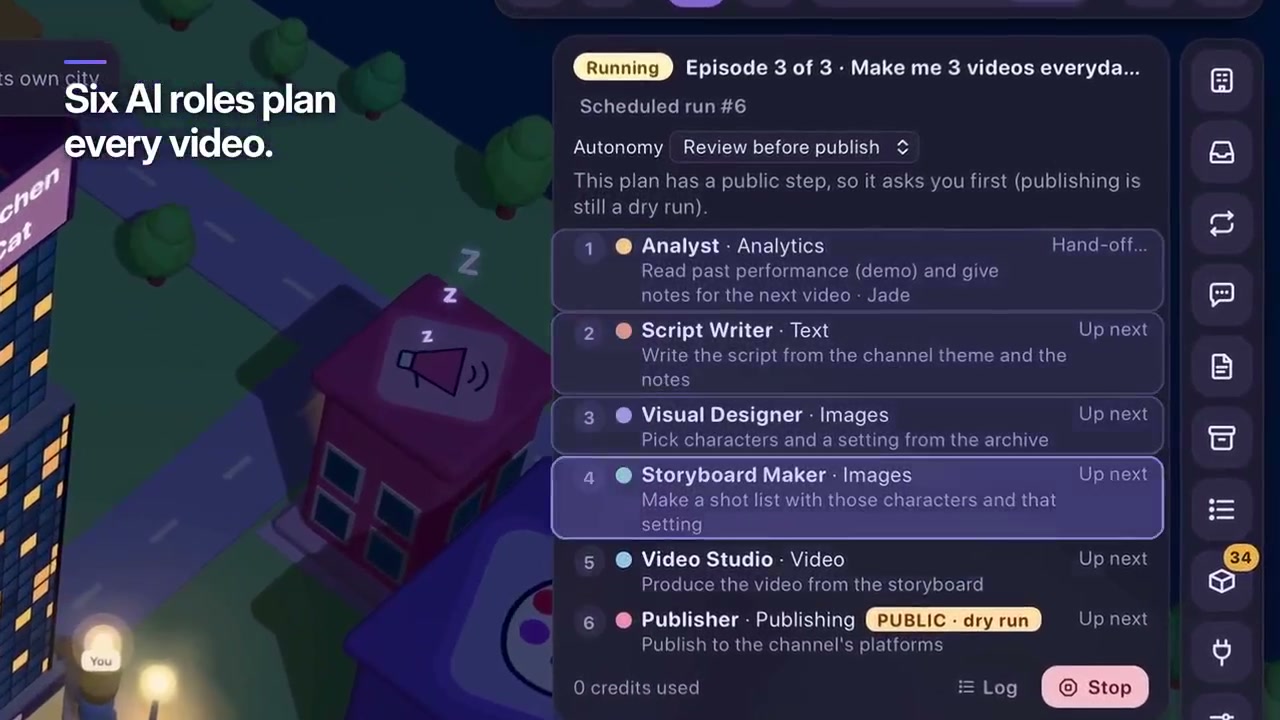 View screen ↗
3
Watch it work
Give it a task and follow the hand-offs. If a step needs a person, it asks you first.
Prototype screens captured from the demo video, using demo data. Select a screen to see it larger.
The crew
One crew for the whole series, from script and visual design to production. Choose the creative tools behind each role.
- Script Writer
- Visual Designer
- Storyboard Maker
- Video Studio
- Analyst
- Publisher
Tools that have an API can run automatically. Tools that don't, like some phone apps, become a step where the crew prepares everything and you do the one manual part.
Join the early list
A few quick questions so we build the right thing. Takes a minute.